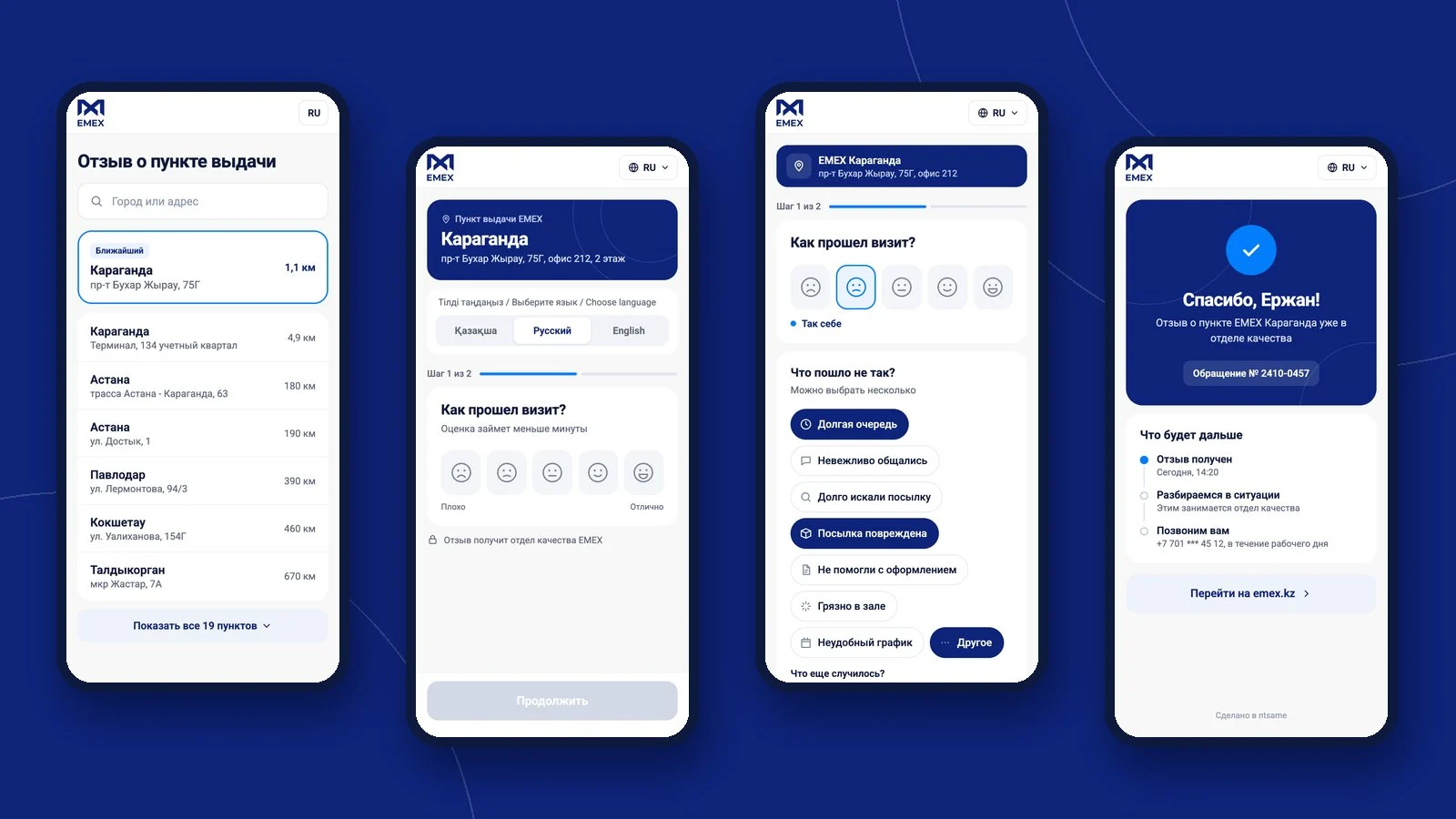
The EMEX quality team needed an easy way to hear from customers right at the pickup points. We built a short mobile flow: the QR code opens the form with the right branch already set, the rating takes one tap, and the follow-up questions depend on whether the customer was happy. If something went wrong, they can ask for a callback. Reviews are collected per branch, so management can see where service is strong and where it needs work.
Visual style
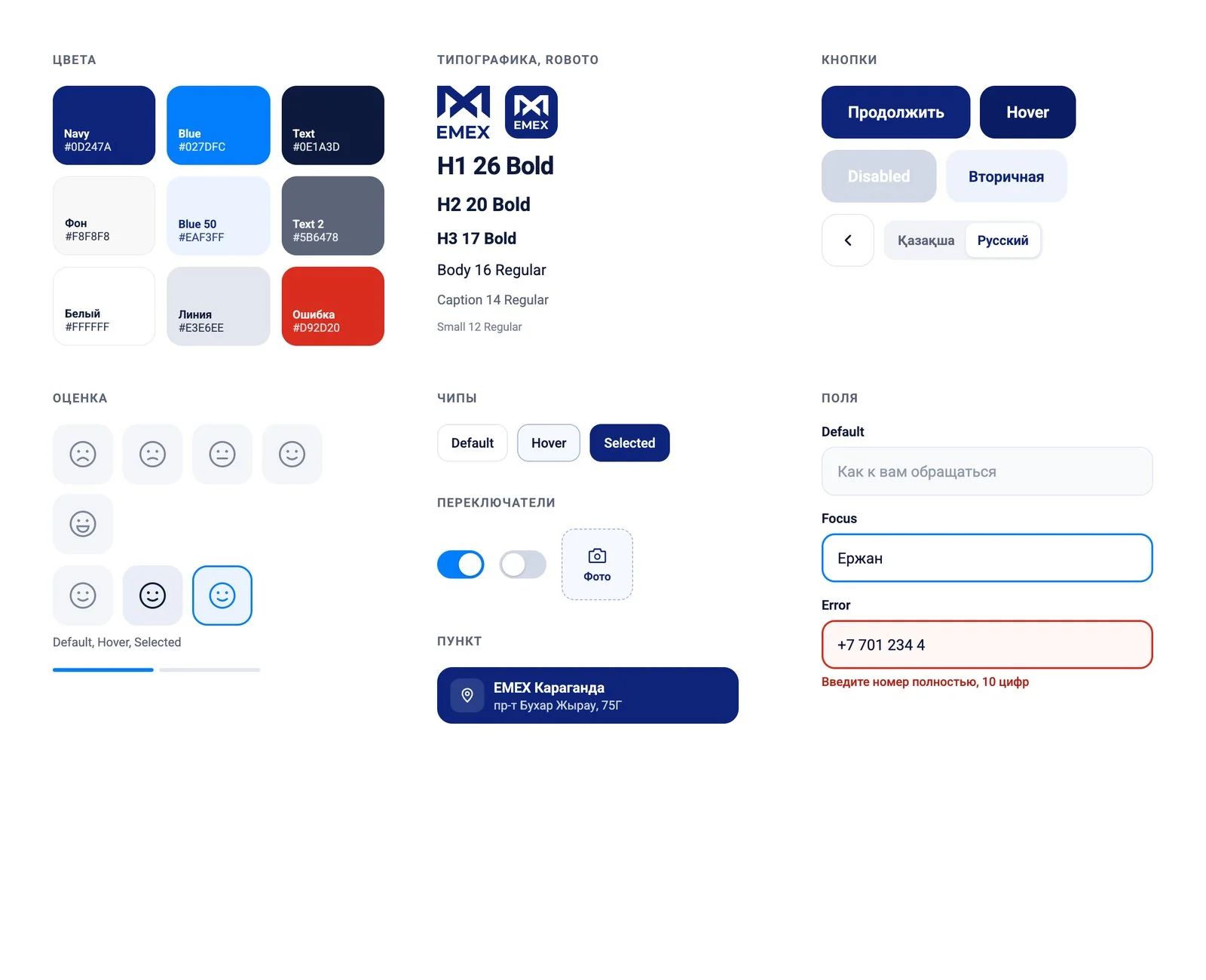
EMEX navy on a light background, with a bright blue for selected states and progress. Large buttons and rating faces are easy to hit with one thumb, and softly rounded cards keep the screens calm.
Customer journey
From the QR code to the thank-you screen in a few steps: branch, rating, details, contacts and confirmation.
Edge cases
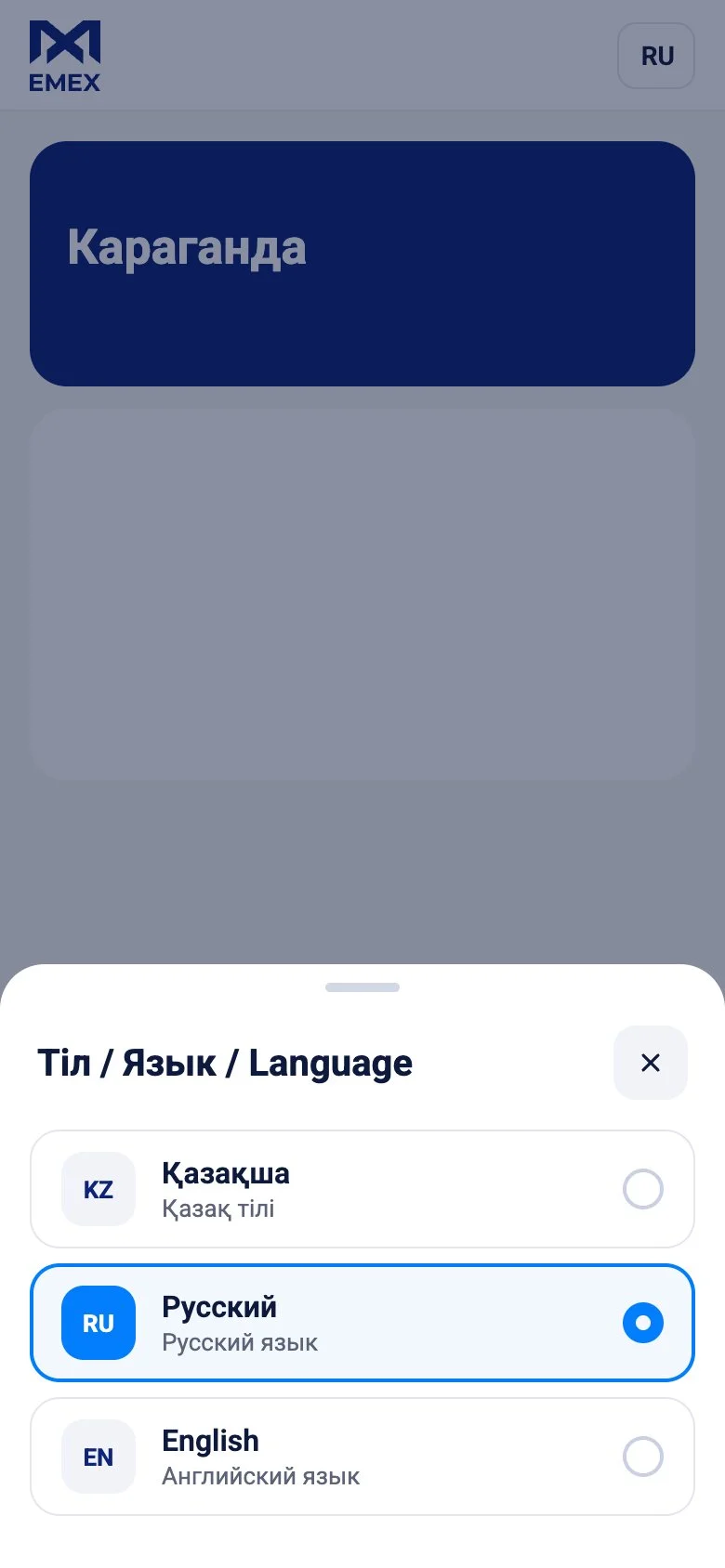
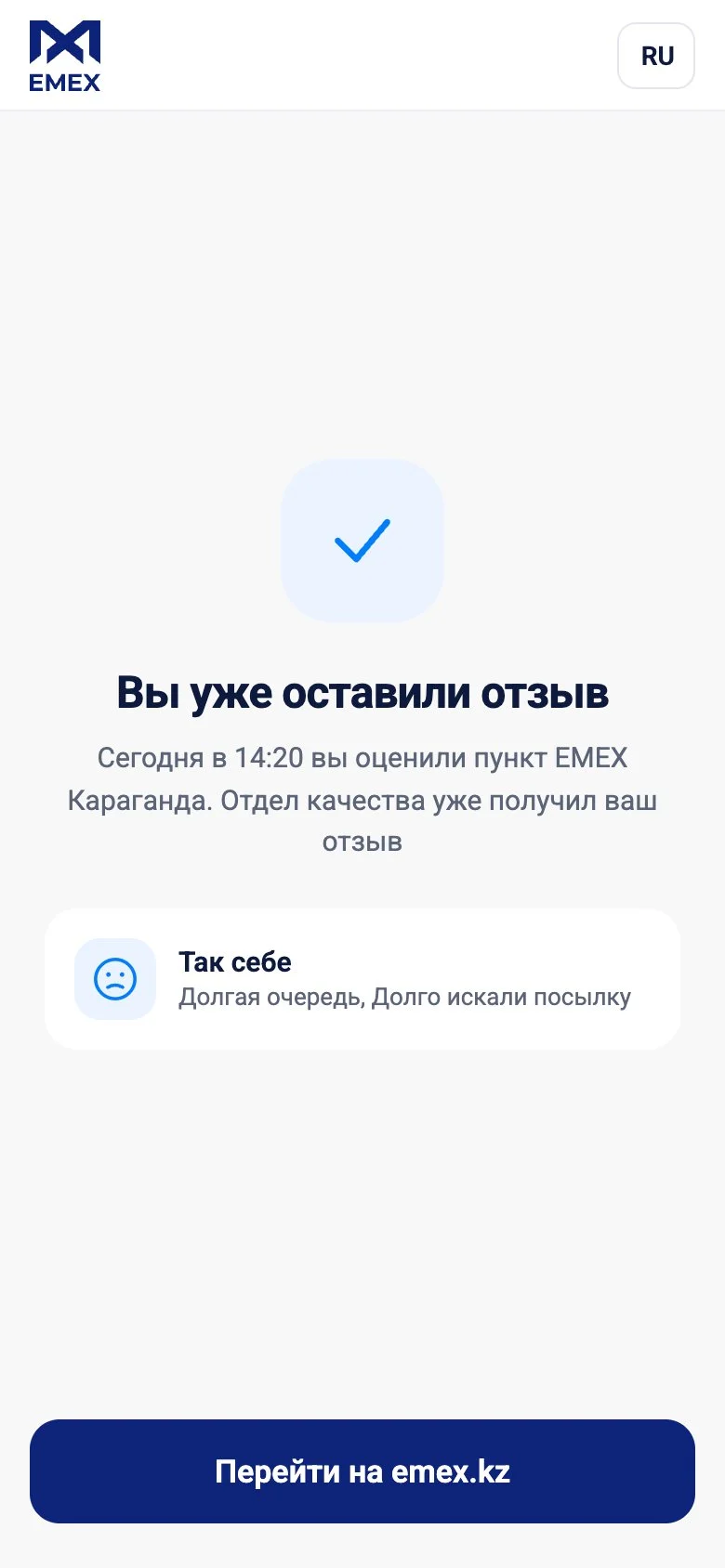
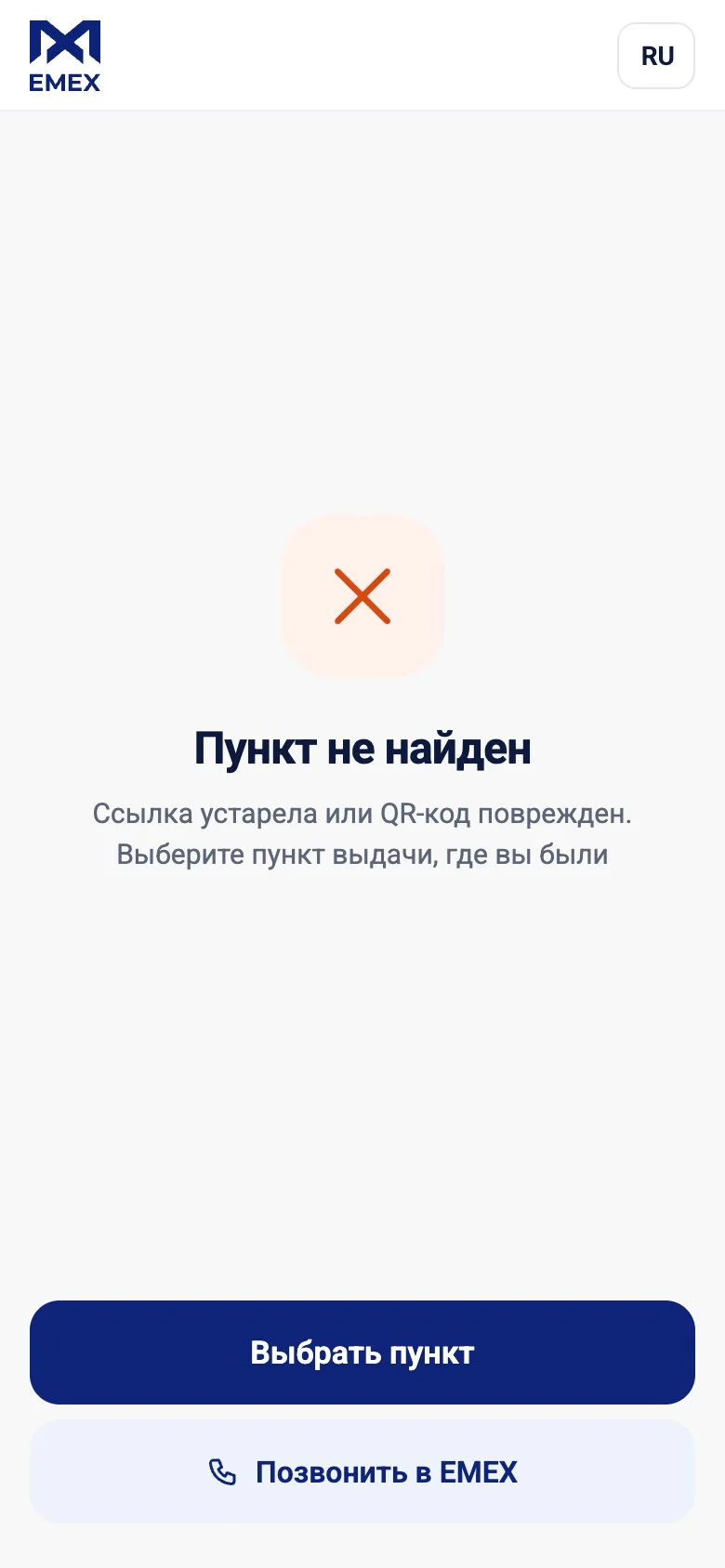
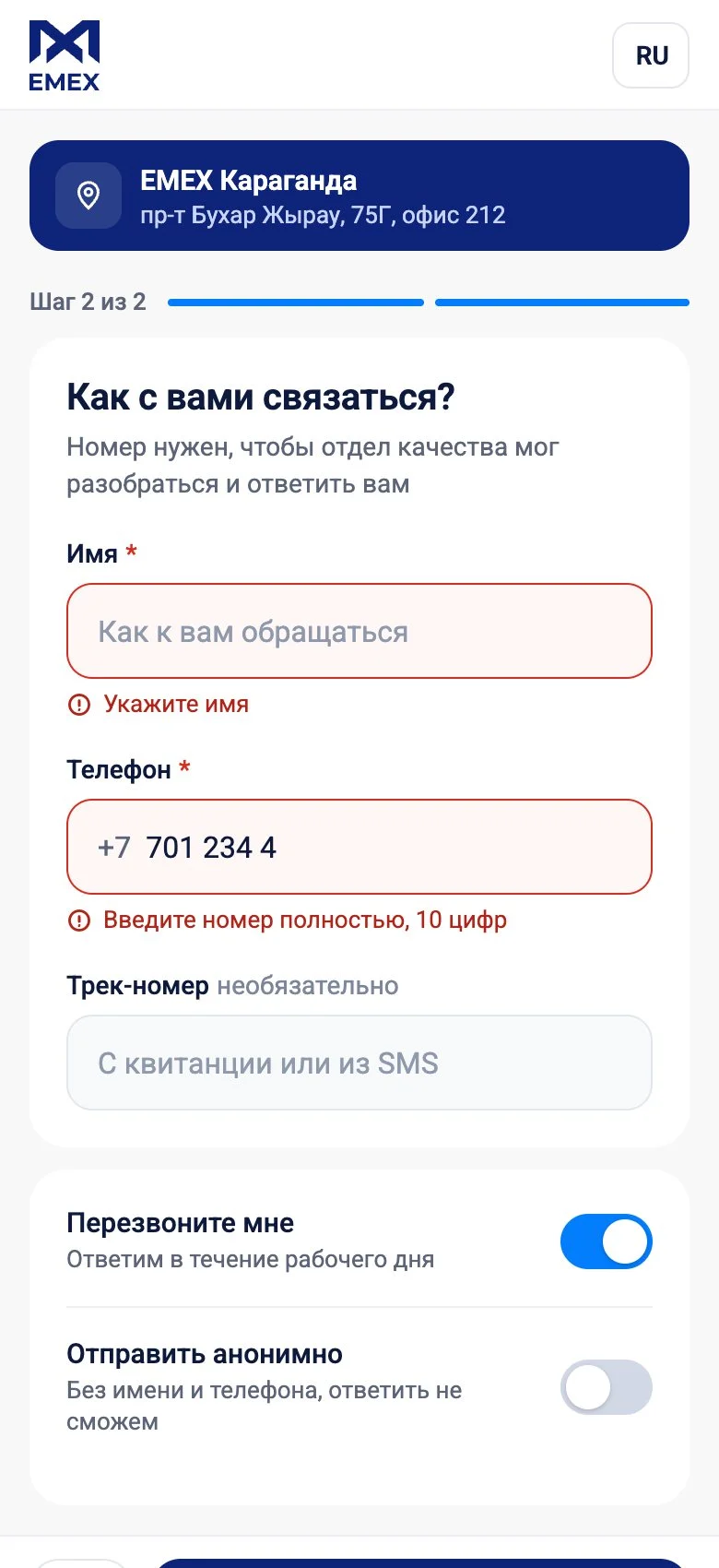
We also designed for the unhappy paths: language choice, repeat reviews, a broken QR code and form errors.
Goals
- 01Collect ratings at the branchThe customer scans the QR code at the counter and rates the visit on their phone, with no app or sign-up.
- 02Understand the reasonAfter rating, the customer picks ready-made reasons and can add a comment and photos.
- 03React to unhappy customers fastCustomers can leave contact details and ask for a callback, and the quality team gets a numbered request.
- 04See service quality per branchEach review is tied to a specific pickup point, so management sees where service falls short.
Key solutions
Finding the pickup point
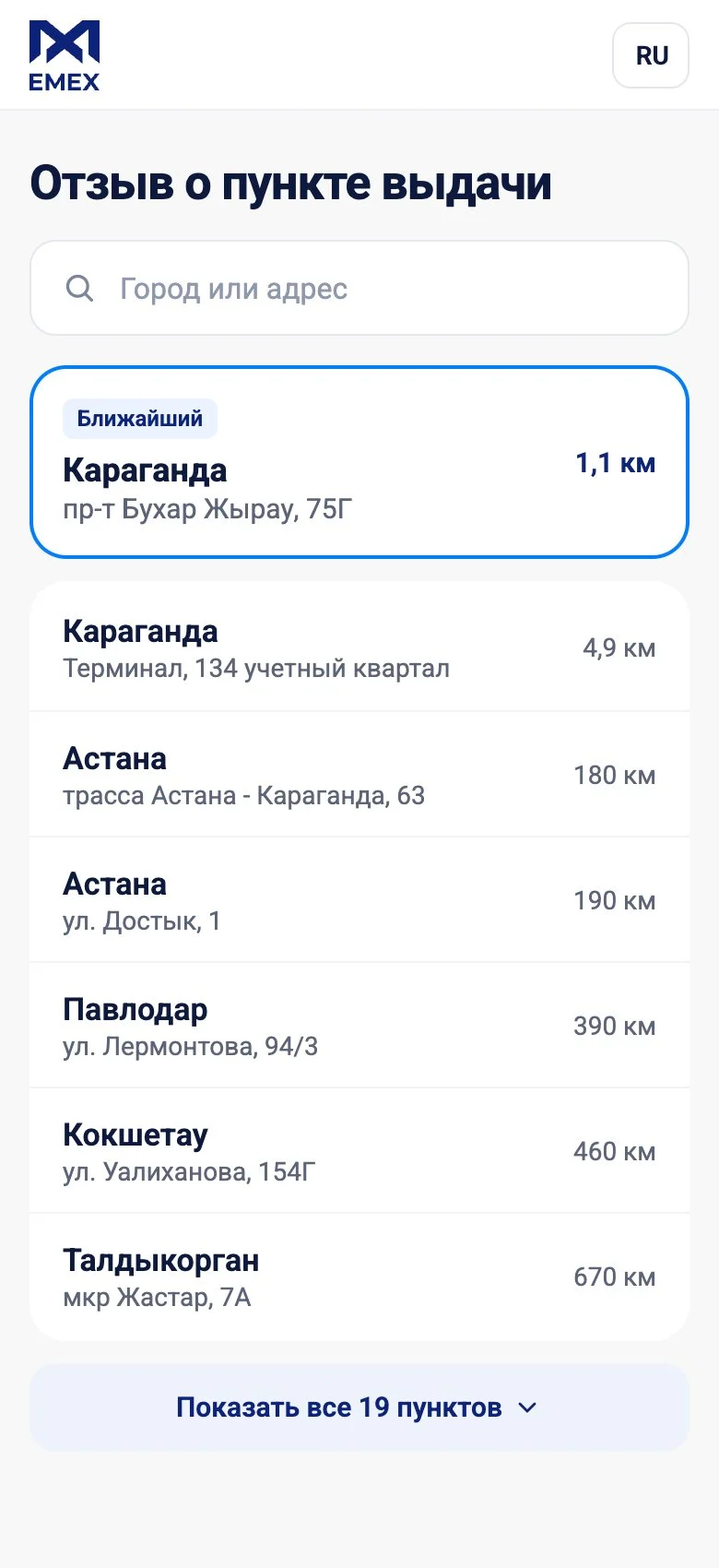
The QR code opens the right branch straight away. Customers who arrive via a link can search by city or address, see the nearest points via geolocation, or pick from a list grouped by city.
One-tap rating
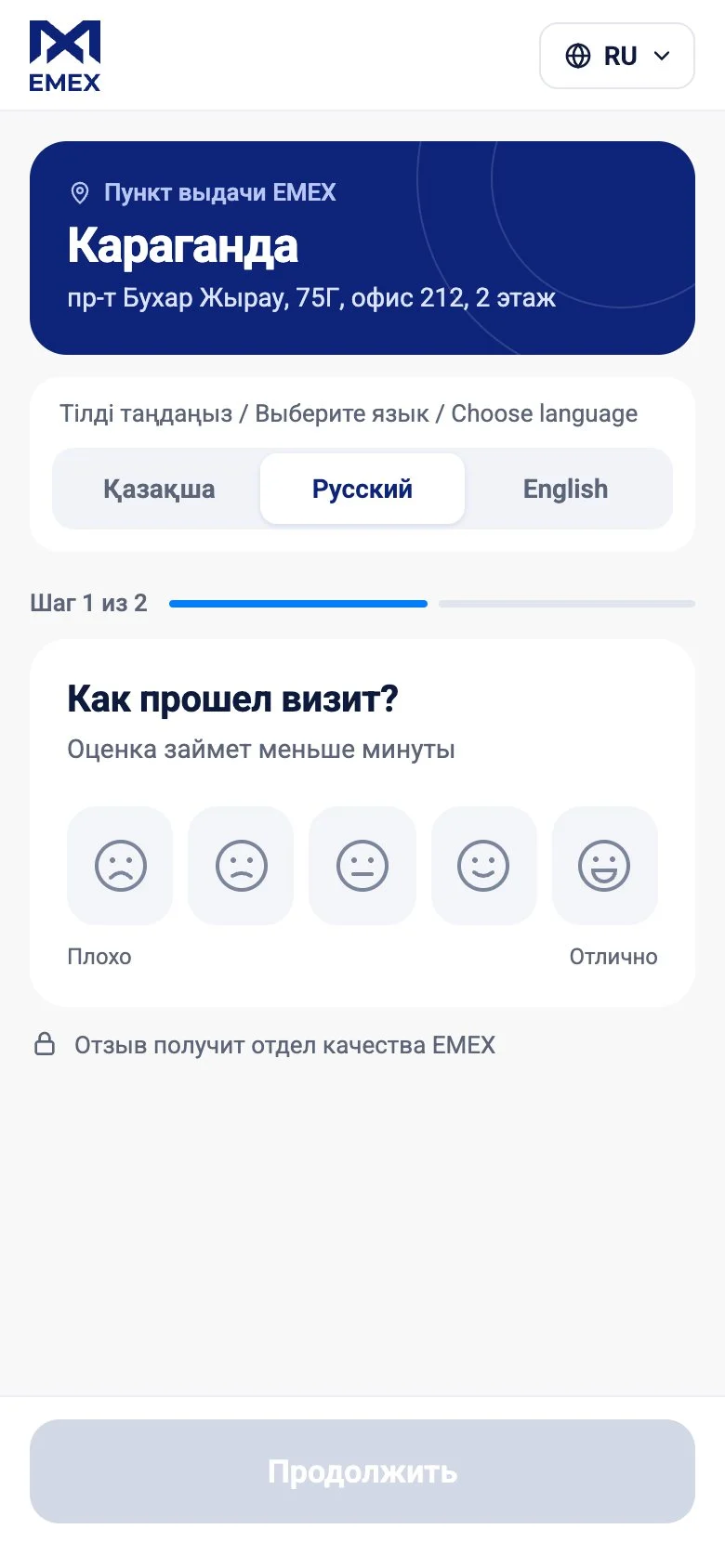
Five faces from Bad to Excellent, the branch card and a Kazakh, Russian and English switch on the first screen. Once a face is chosen, the extras collapse and the follow-up questions slide in.
When something went wrong
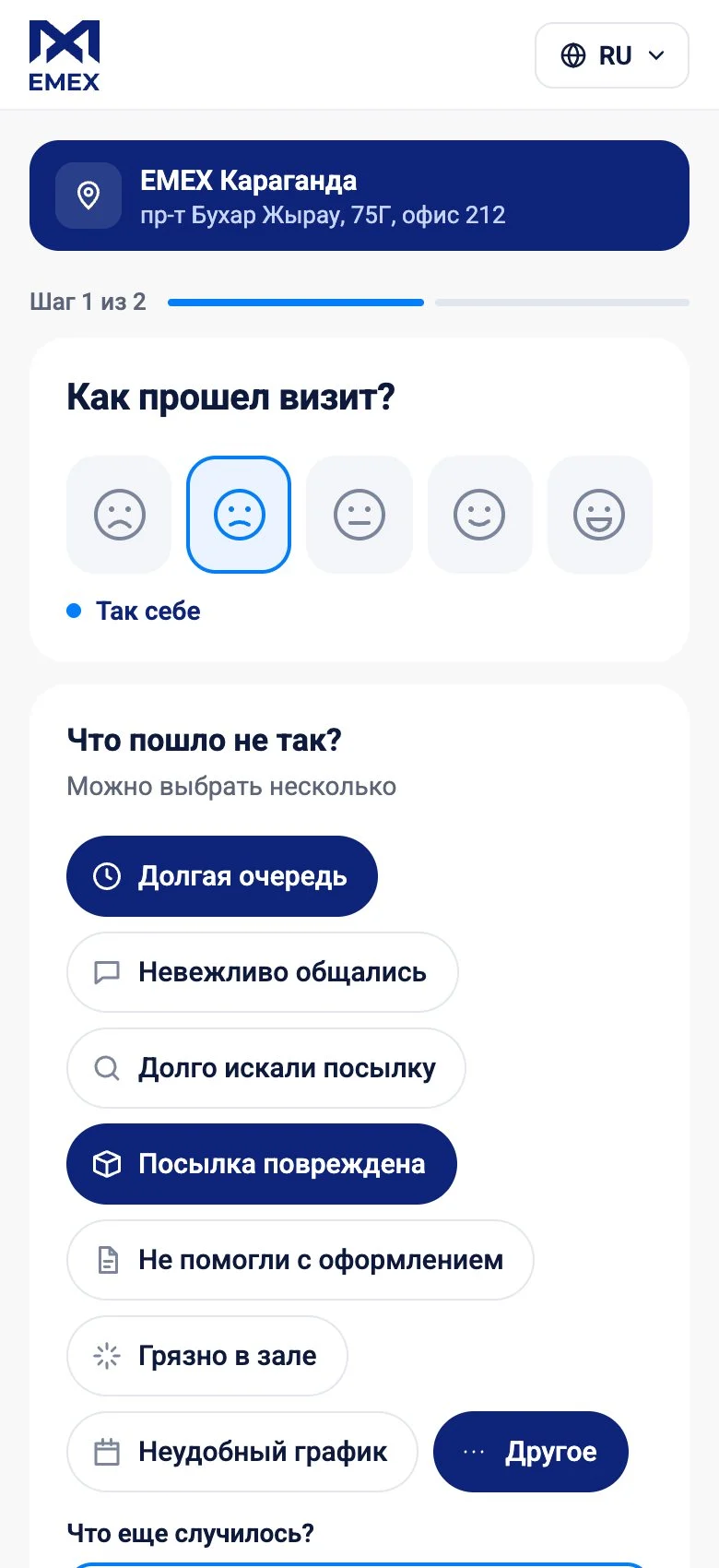
A low score asks for reasons: the queue, staff manner, a lost or damaged parcel, paperwork. Customers can pick several, describe the issue in their own words and attach photos. We compared three layouts for the reasons: list, chips and tiles.
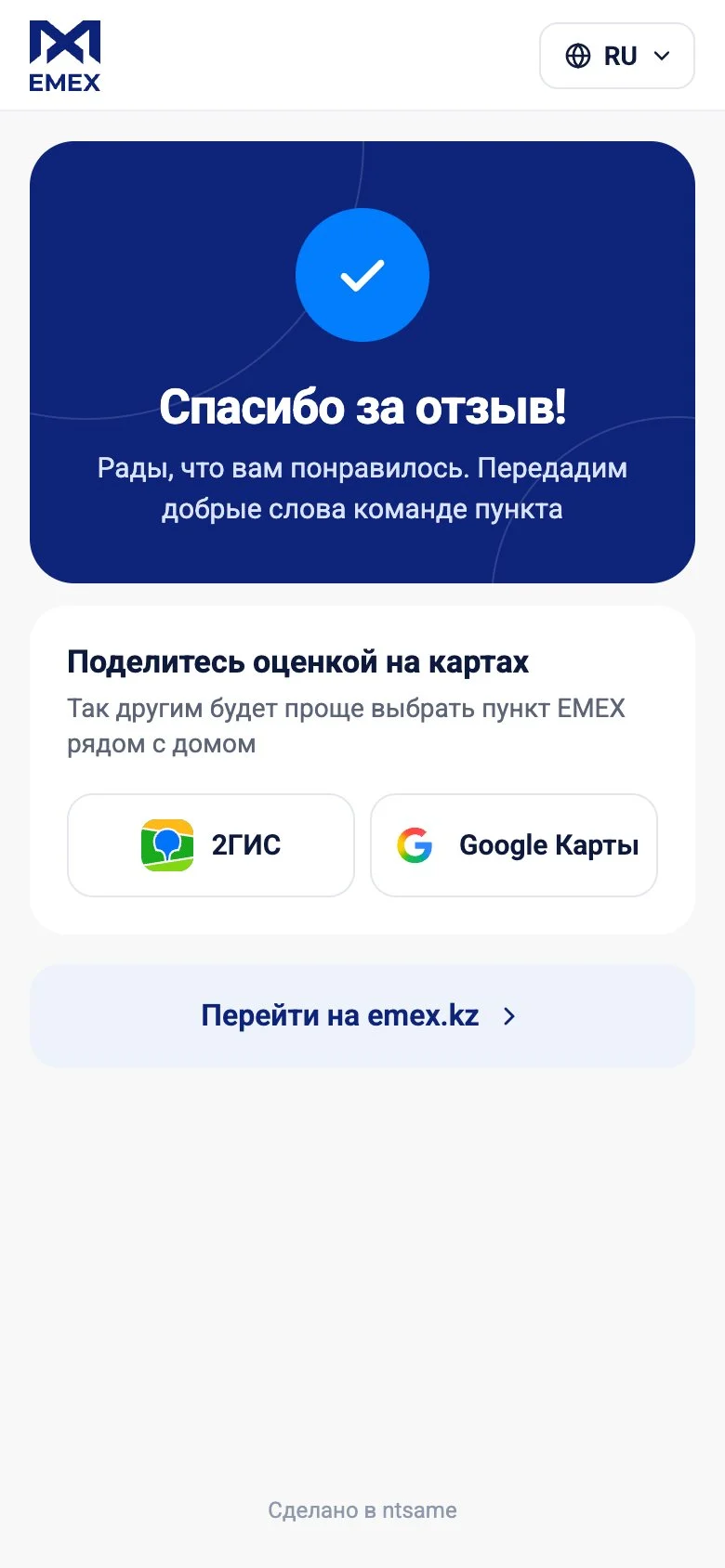
When everything was great
A high score switches the question to What did you like, and the thank-you screen invites the customer to share the rating on online maps.
Callback and contacts
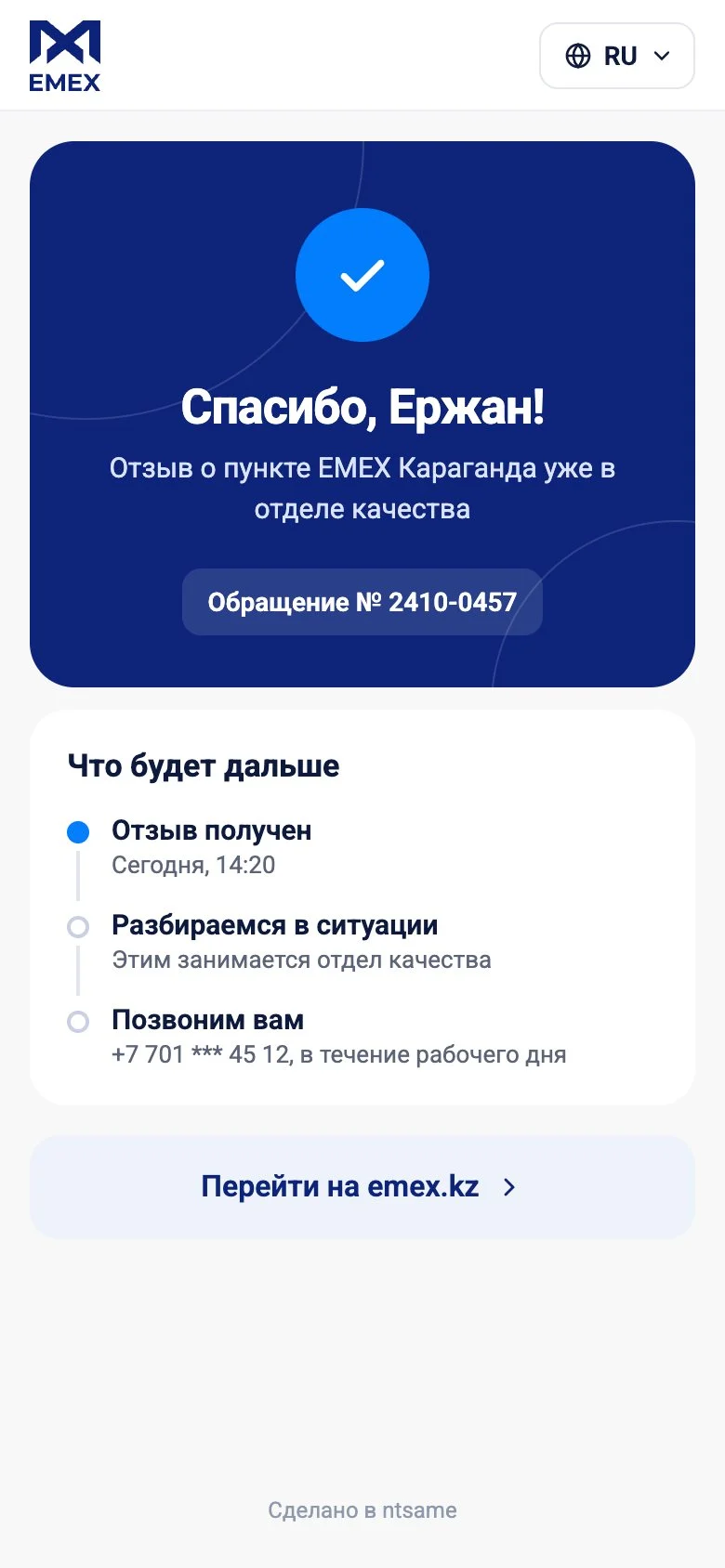
The customer enters a name, phone and tracking number, turns on Call me back or sends the review anonymously. Fields are validated as you type, and without a connection the review is saved and sent later. The final screen shows the request number and status.
Languages and service screens
A separate language picker, protection against repeat reviews and a clear screen for an outdated or damaged QR code, with a way back to the branch list and a call to EMEX.
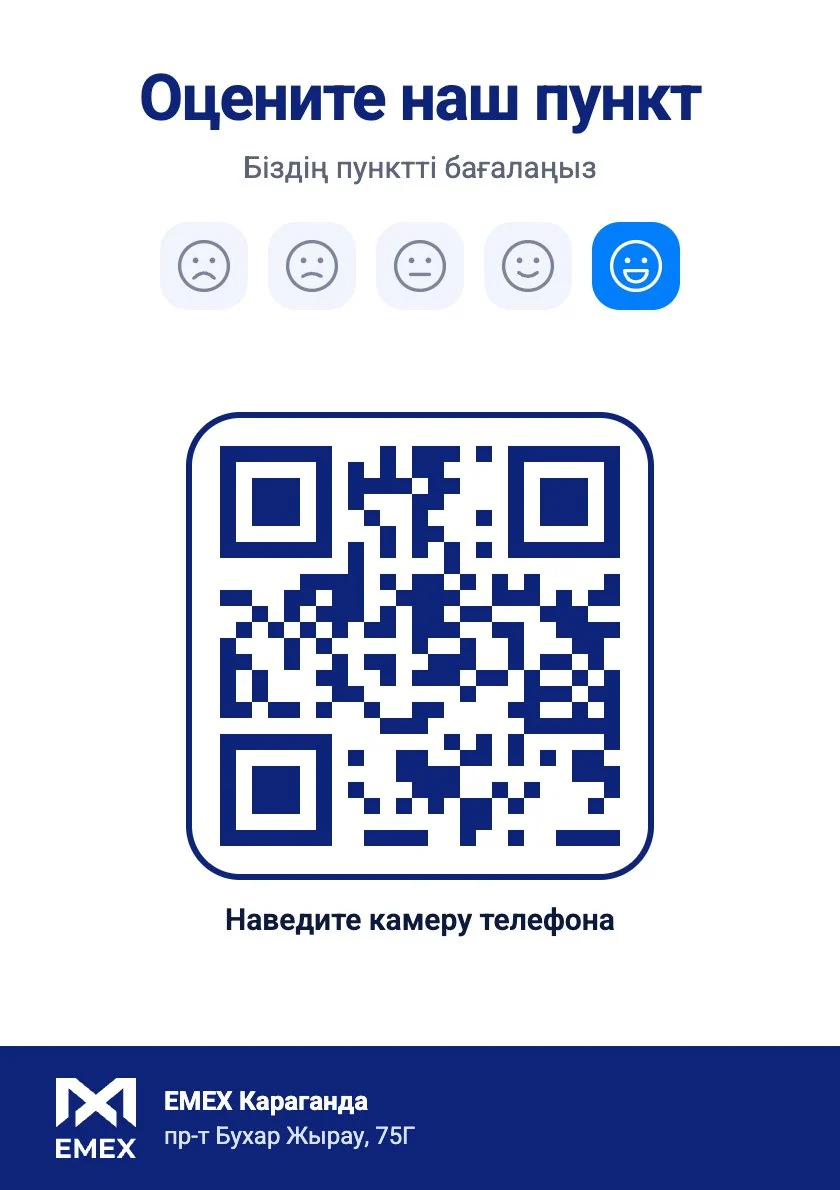
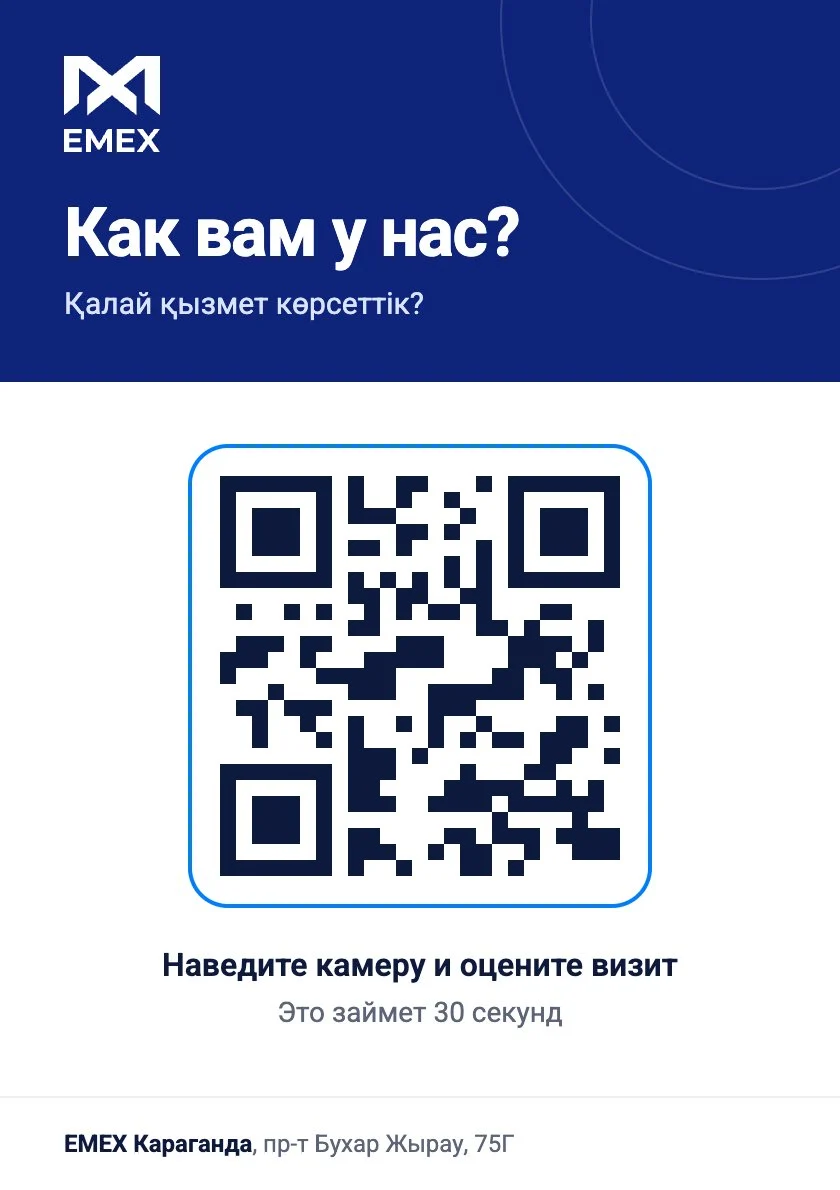
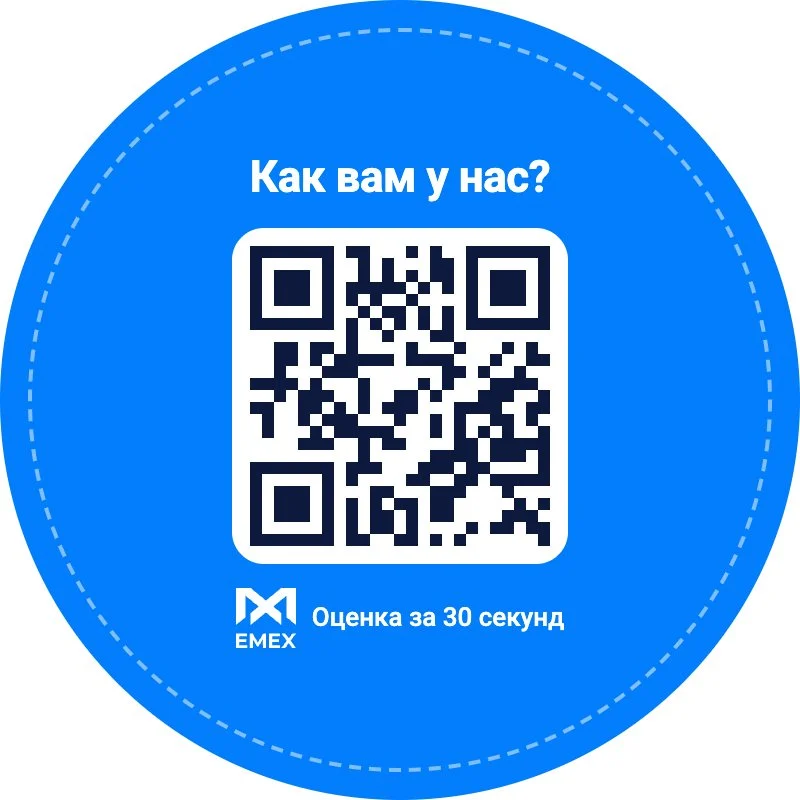
Printed QR materials
A counter sign in dark and light versions plus round and square stickers. Each carries the QR code of a specific branch, a call to action in Kazakh and Russian, and the branch address.
What the service covers
Want a project like this?
Describe your task – within one business day we'll reply with questions and a rough timeline estimate.