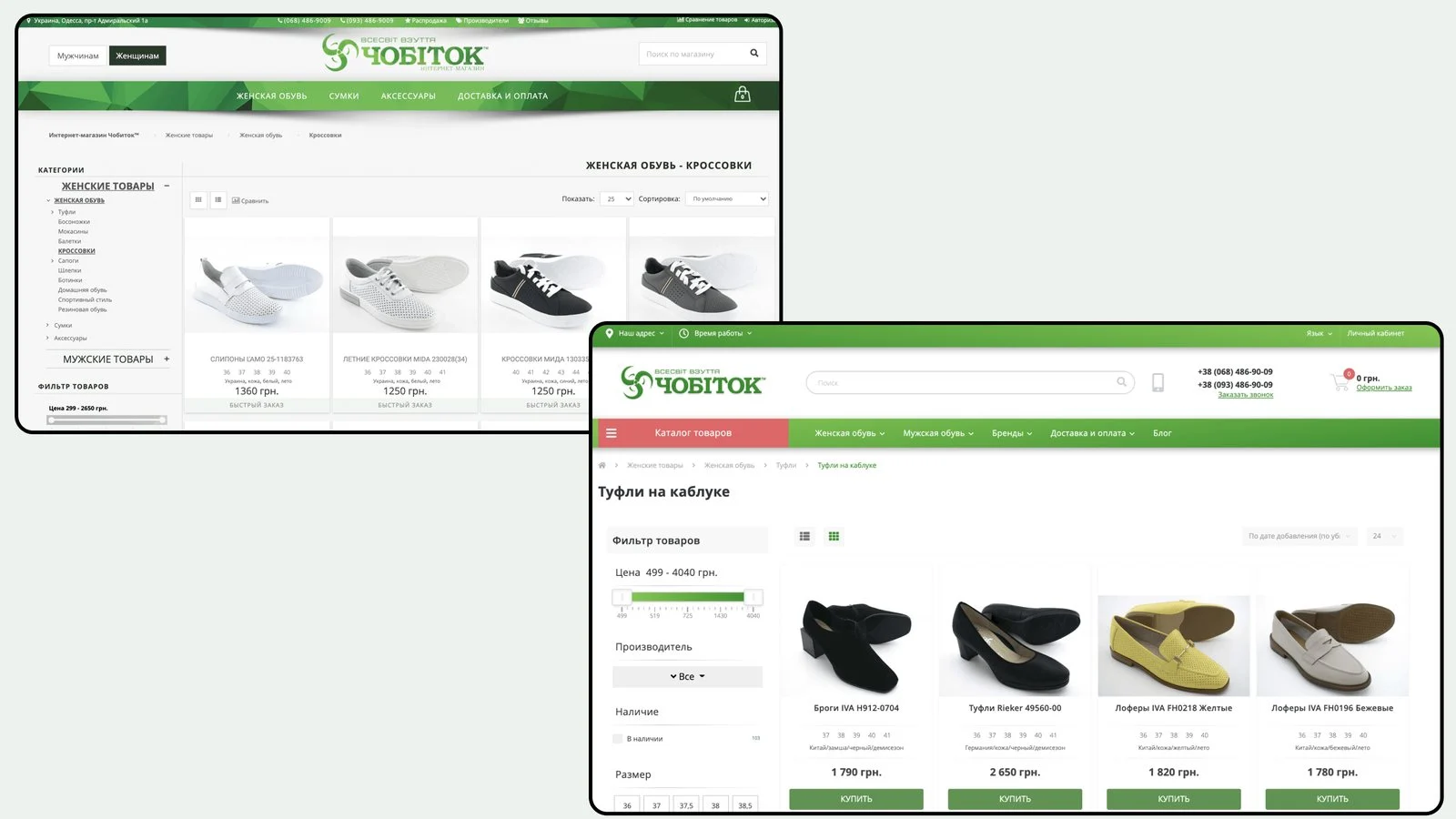
The store ran on an old OpenCart version that was hard to update and extend, and its dated design got in the way of buying. We upgraded the platform, migrated the catalog, products with sizes and attributes and the rest of the store data while keeping page URLs, then built a new interface and added features that stock OpenCart does not have.
Visual style
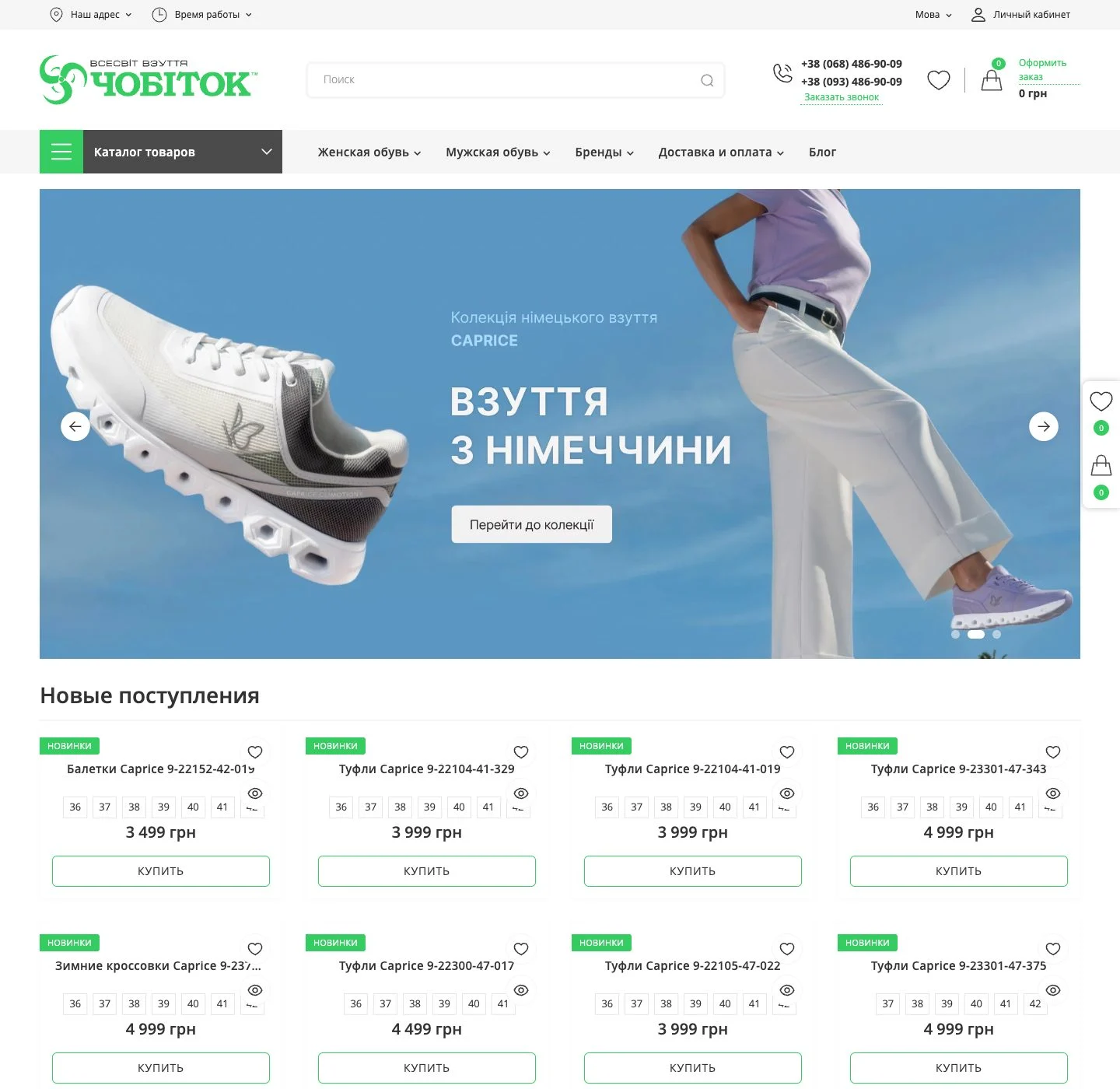
A white canvas with large shoe photos, the brand green from the logo on buttons, labels and active states, and a graphite catalog button in the header. Set in Open Sans.
Mobile version
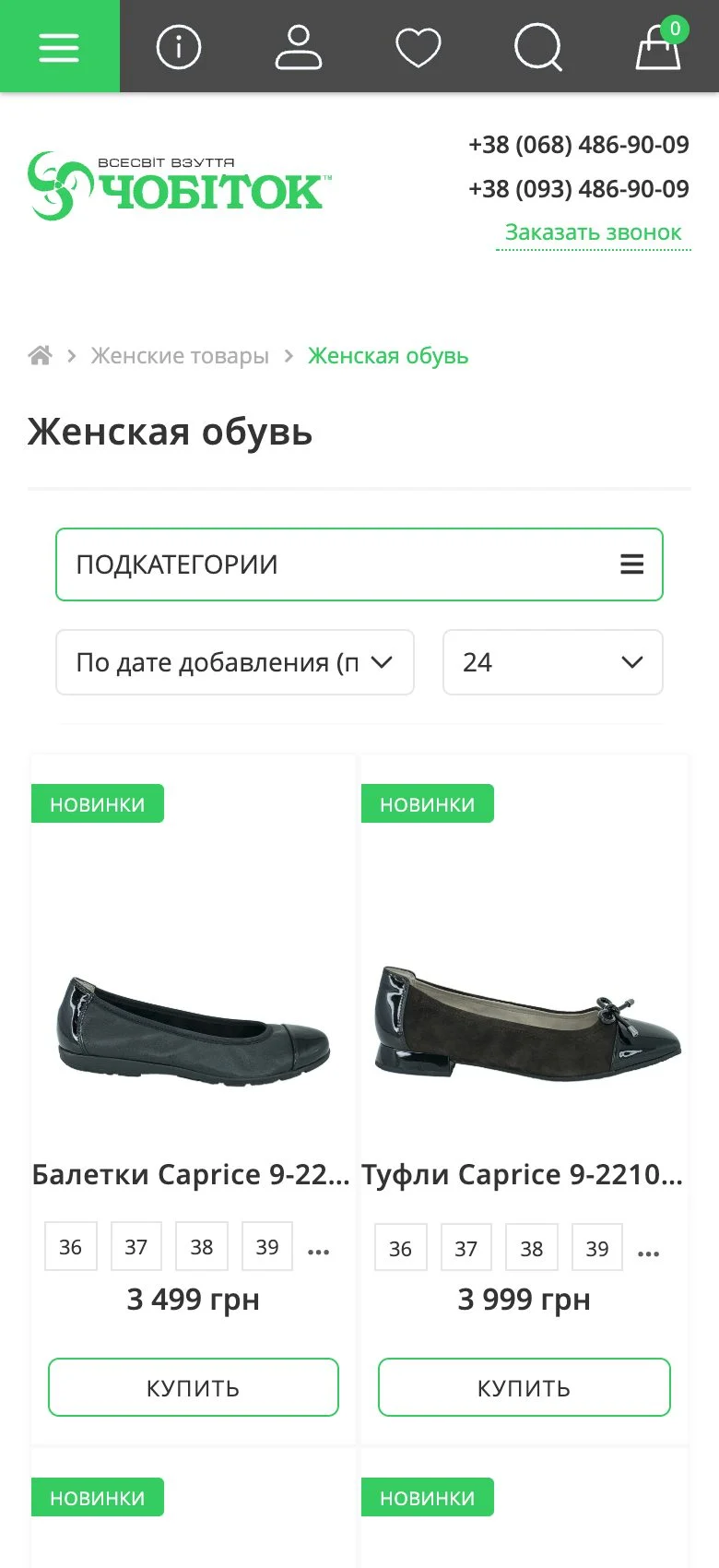
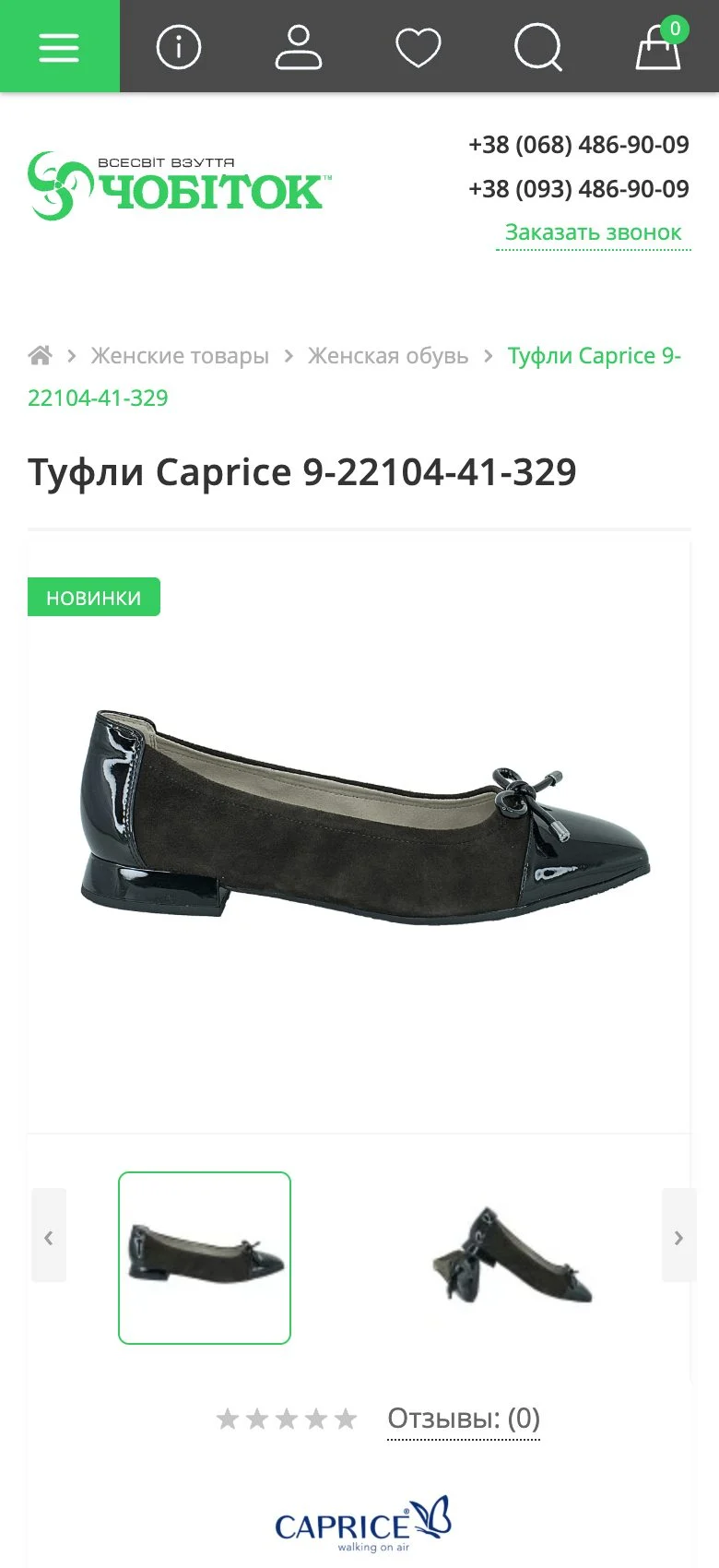
On a phone the main actions live in the top bar: menu, account, wishlist, search and cart. The catalog puts subcategories and sorting behind separate buttons, and the product page starts with the gallery.

Goals
- 01Move to a new OpenCart versionUpgrade the platform so the store is easier to maintain, extend and connect new modules to.
- 02Transfer products and dataMigrate categories, products with sizes, attributes and photos and the rest of the store data without losses.
- 03Keep search rankingsPreserve product and category URLs so the store keeps the search traffic it had built up.
- 04Refresh the designBuild a clean, modern interface where shoe photos and sizes come first.
- 05Go beyond stock featuresAdd filters, quick order and product page blocks that the base OpenCart does not offer.
Key solutions
Migration to a new OpenCart
The store now runs on a new OpenCart version. The catalog, products, size options, attributes, images and store data were moved from the old database with URLs kept intact. The theme and modules were rebuilt for the new version.
Catalog and filters
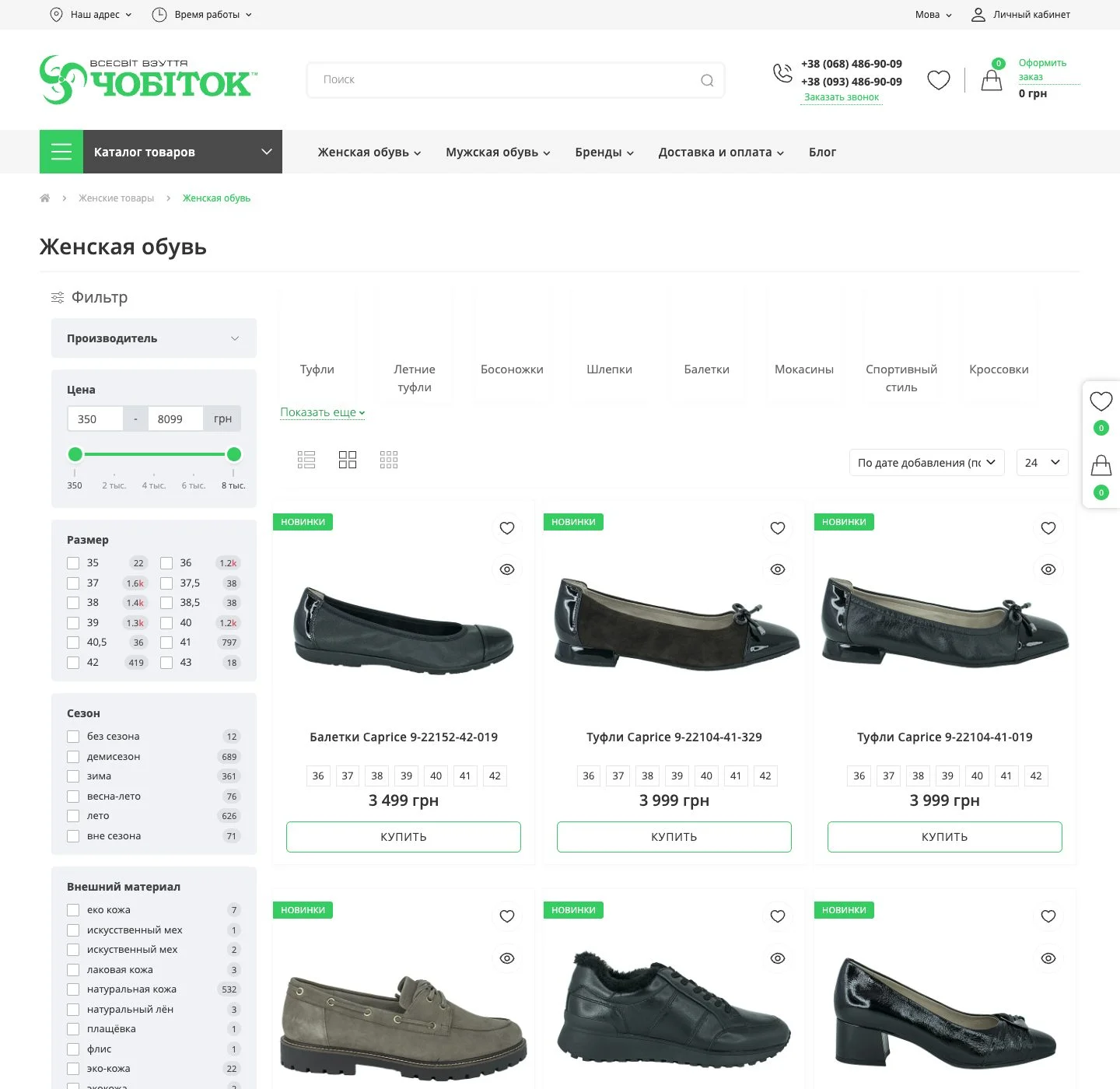
Filter by brand, price with a slider, size, season, outer and lining material, country of manufacture, colour and width fitting. Each value shows how many products it will return. Above the grid sit subcategory tiles, sorting by price, date and rating, and a per-page selector.
Product cards in listings
Each card shows New and Popular labels, available sizes, key attributes, the price and a Buy button. Separate icons add the item to the wishlist or open a quick view.
Product page
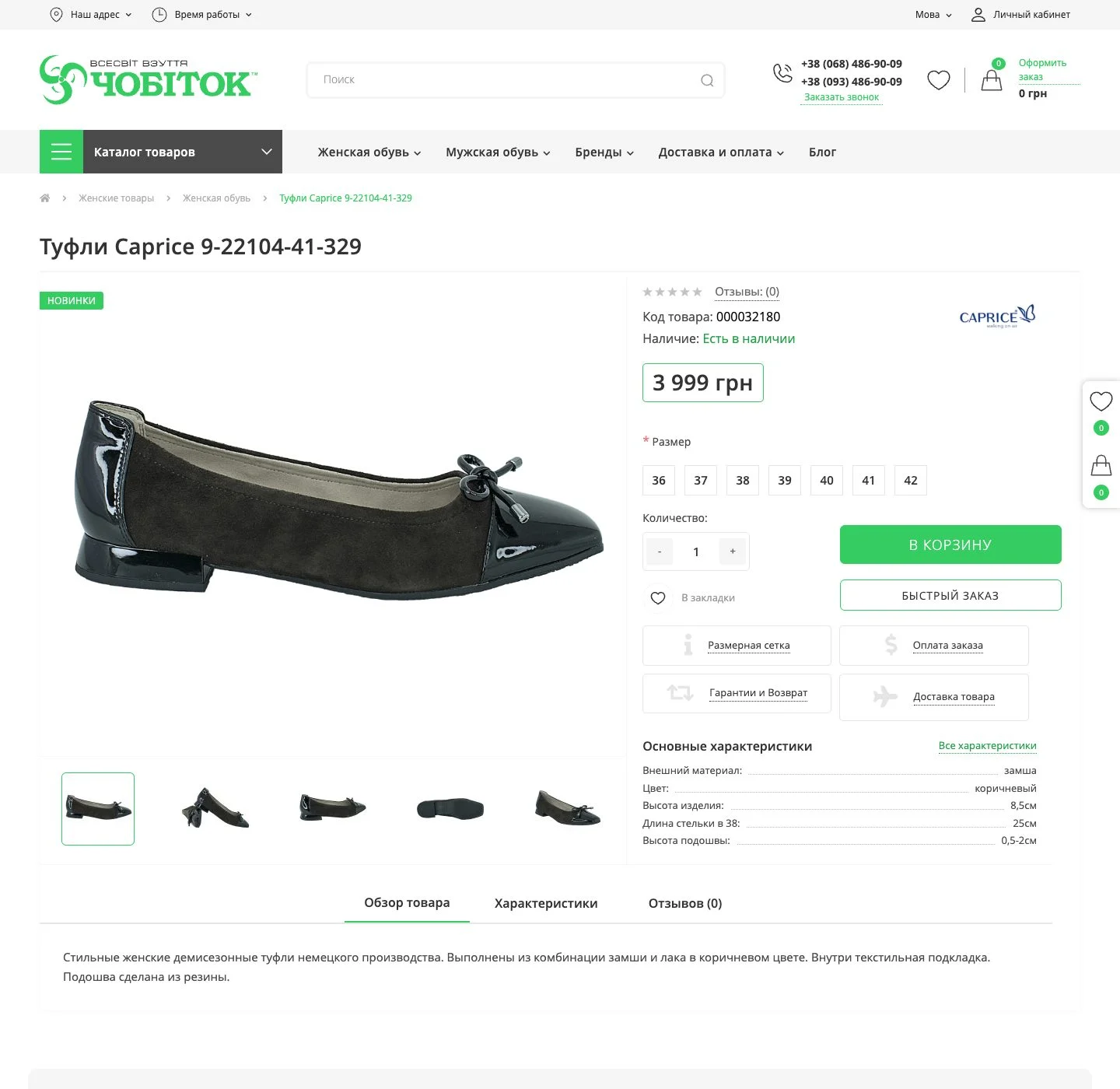
A photo gallery, product code and stock status, size picker, quantity, Add to cart and Quick order buttons. Next to them are blocks for the size chart, payment, warranty and returns and delivery, followed by key attributes with a link to the full list, the description and reviews.
Convenience on every screen
The wishlist and cart are pinned to the side of the page, the site has two interface languages, the header shows the shop address and opening hours, and the footer offers a sign-up for sales news.
Platform and custom work

Want a project like this?
Describe your task – within one business day we'll reply with questions and a rough timeline estimate.